
一、什么是hosts文件?
hosts是一個沒有擴展名的系統(tǒng)文件,其基本作用就是將一些常用的網(wǎng)址域名與其對應的IP地址建立一個關(guān)聯(lián)“數(shù)據(jù)庫”,
當用戶在瀏覽器中輸入一個需要登錄的網(wǎng)址時,系統(tǒng)會首先自動從Hosts文件中尋找對應的IP地址,一旦找到,系統(tǒng)會立即打開對應網(wǎng)頁,如果沒有找到,則系統(tǒng)再會將網(wǎng)址提交DNS域名解析服務器進行IP地址的解析,如果發(fā)現(xiàn)是被屏蔽的IP或域名,就會禁止打開此網(wǎng)頁!
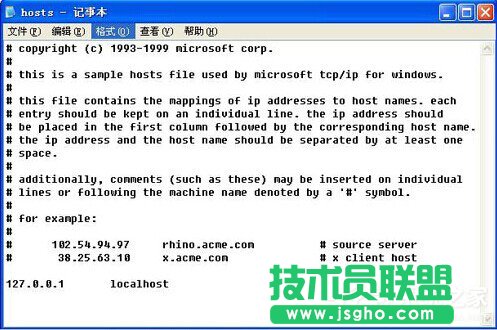
二、Win7的hosts 默認文件
文件地址:C:WINDOWSsystem32driversetchosts
默認里面的內(nèi)容如下:
-------------------------------------------------------
# Copyright (c) 1993-2009 Microsoft Corp.
#
# This is a sample HOSTS file used by Microsoft TCP/IP for Windows.
#
# This file contains the mappings of IP addresses to host names. Each
# entry should be kept on an individual line. The IP address should
# be placed in the first column followed by the corresponding host name.
# The IP address and the host name should be separated by at least one
# space.
#
# Additionally, comments (such as these) may be inserted on individual
# lines or following the machine name denoted by a ‘#’ symbol.
#
# For example:
#
# 102.54.94.97 rhino.acme.com # source server
# 38.25.63.10 x.acme.com # x client host
# localhost name resolution is handled within DNS itself.
# 127.0.0.1 localhost
# ::1 localhost